Study Streaks: How Rest Days Cover a Missed Day
Finish one task or focus for a minute to stamp the day. Stamp 3 days in a week and you earn a rest day that covers a missed one.
You've kept a study streak going for almost two weeks, then a cold or a late shift wipes it back to zero. That's when it's hardest to start again. Damda's streak tracker has rest days for exactly that kind of day.
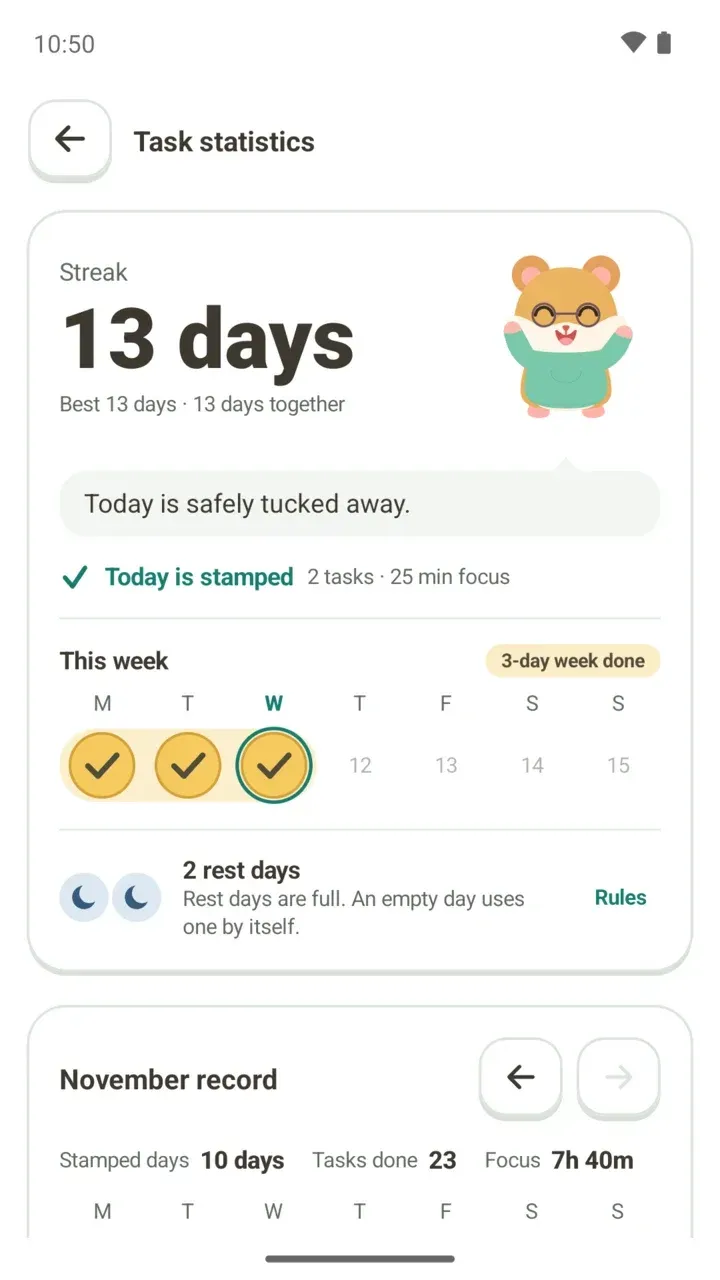
This post covers when a day counts, how to read the Task statistics screen, and how rest days are earned and used. Numbers like the 13-day streak in the screenshots are sample data.
What stamps a day
The rule is simple: finish one task or focus for at least one minute, and that day is stamped. Either one is enough. On a busy day, checking off a single task or running the timer for just over a minute will do.
A short line tells you where today stands.
- "Today is stamped": shows how many tasks you finished today and your focus time beside it.
- "Today is still open": tells you what day your streak will reach if you finish just one more task, such as Day 14.
- "See today's tasks": while today is still open, this takes you straight to your to-do list.
How to open Task statistics
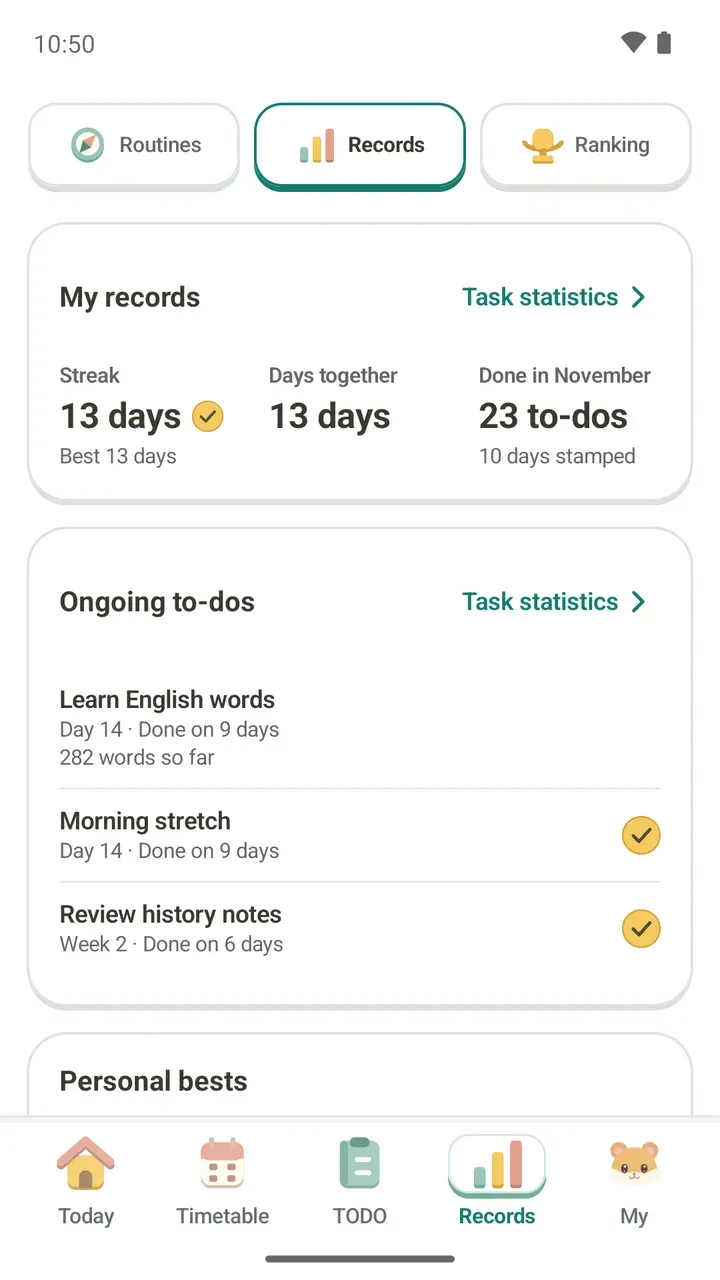
- Tap Records in the bottom bar.
- At the top, choose Records from Routines, Records and Ranking.
- Tap "Task statistics" on the right of the My records card.
Reading the Task statistics screen
- Streak: how many days in a row you've kept going without a break.
- Best: your longest streak so far.
- Days together: every stamped day added up, whether or not it was part of a streak.
- This week: a check appears on each stamped day from Monday to Sunday, with a count like "3-day week done". Days that haven't come yet show only a faded date.
- Rest days: how many you're holding and how many days until the next one. Tap "Rules" to see the full rules.
- Monthly record: a card like "November record" shows stamped days, tasks done and focus time for each month, and you can flip to the previous or next month. The calendar marks stamped days, your current streak and days a rest day covered. Tap a date to see that day's record.
- Records by task: for each to-do, how many of the last 14 days you did it. Tap "Show 30-day calendar" for a longer view.
How rest days work
- Stamp 3 days in one week (Monday to Sunday) and you earn one rest day.
- You can hold up to two. When you have both, the screen says "Rest days are full. An empty day uses one by itself."
- If a day goes by empty, a rest day is used automatically and your streak carries on. There's nothing to tap.
- A day covered by a rest day doesn't add to your streak. The streak doesn't break, but the number doesn't go up either.
- Rest days can't be bought or sold. Only stamped days earn them.
Say you stamp Monday, Tuesday and Wednesday. That earns a rest day for the week. If you then take all of Thursday off, the rest day covers it and your streak stays where it was. Stamp Friday and the count goes up by one again. Tap the covered day in the calendar and you'll see "A rest day kept this day. Your streak carried on."
So if you make a habit of stamping at least three days a week, you can take the night before an exam or a sick day off without worrying.
What stays when a streak breaks
If a day goes empty with no rest day to cover it, your streak starts over. Not everything resets, though. The screen shows "Starting again" and lets you know your best streak and days together are still there. Stamp one thing today and you're back at Day 1.
Your milestone badges stay too. Badges you earn for a streak length or a number of days together are yours to keep, even after a streak ends.
Your streak on the TODO and Today tabs
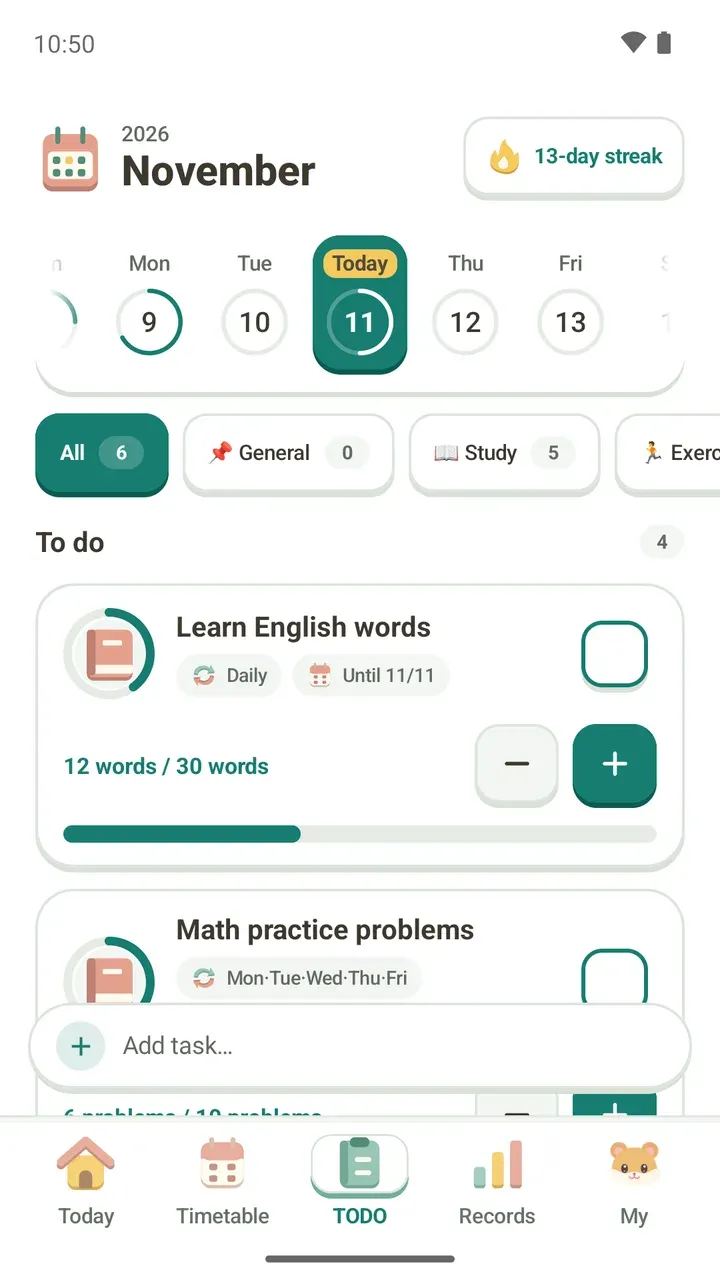
You don't have to open Task statistics to see your streak. It's at the top of the TODO tab, where you check off tasks, and at the top of the Today tab, the first screen you see when you open the app.
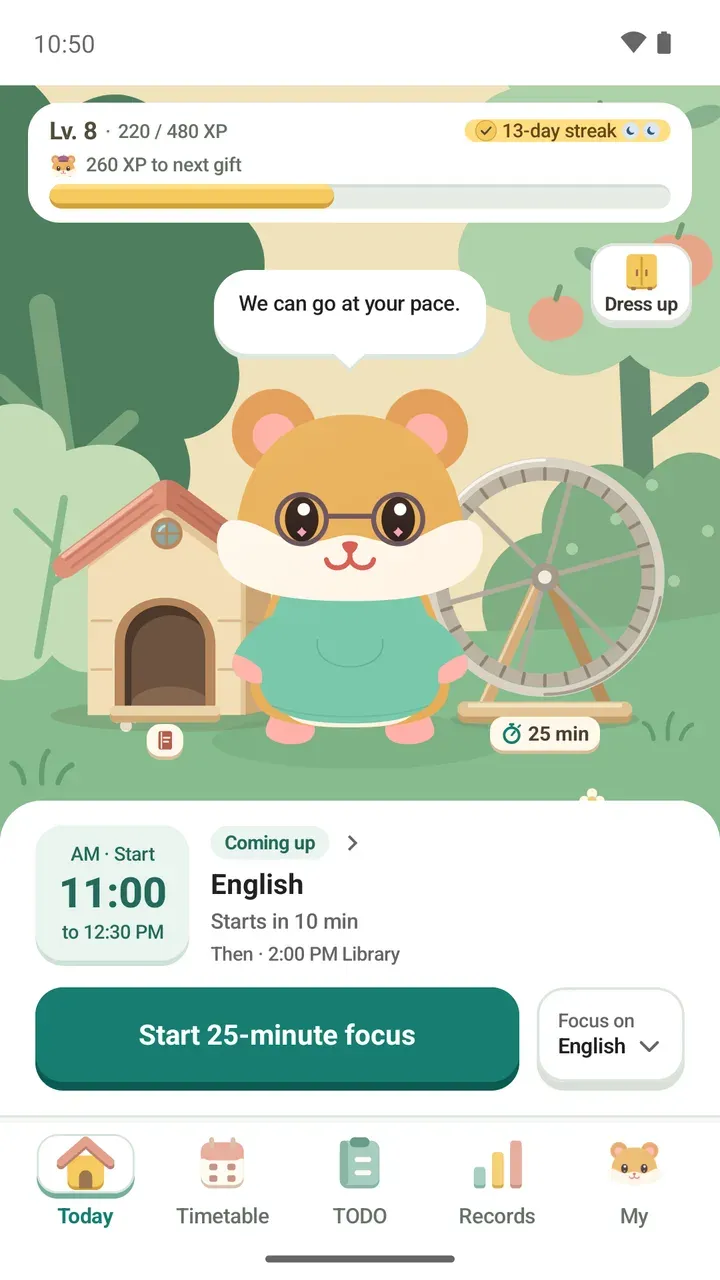
If you'd rather stamp today with focus time, start the timer right from the Today tab. Timer settings are explained in how to use the focus timer.
An evening nudge for your streak
The Streak encouragement notification comes once in the evening if you haven't done anything yet today or have taken a few days off. Tap "Okay, coming" to open the app, or "Busy today" to let it go. If you have a rest day, it tells you the rest day will cover today.
You can turn Streak encouragement on or off and choose its Encouragement time.
Want to see more?
For weekly and monthly focus charts and your ongoing to-dos, see how to track your study progress. For the XP and missions you earn by keeping at it, see how the level path works.