Online Study Hall: Focus With Others Anonymously
Take an empty seat in the Damda study hall to focus with others anonymously. See how today's ranking works, what others see and how to go offline.
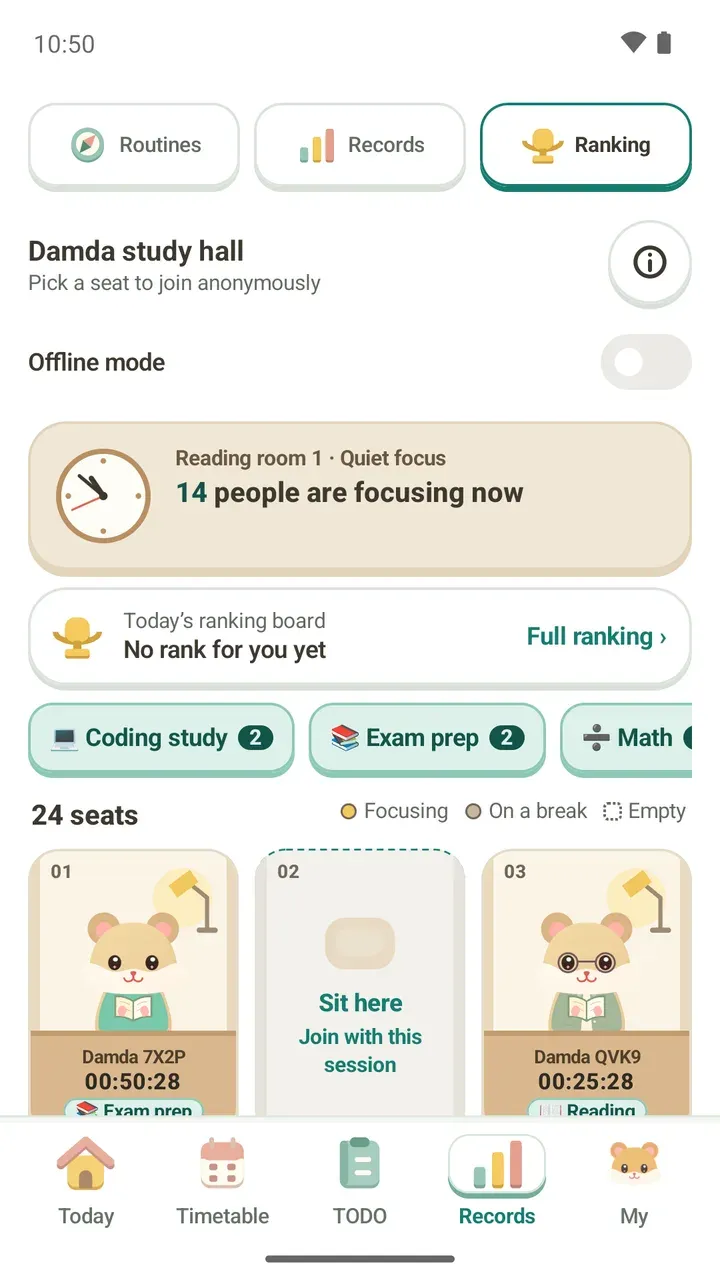
Study alone at your desk and you keep reaching for your phone. With someone working at the next desk, you somehow hang in there a little longer. The Damda study hall is an online study room that brings that feeling into the app.
This post walks you through taking a seat, how today's ranking is decided, and what others can and can't see.
What the Damda study hall is
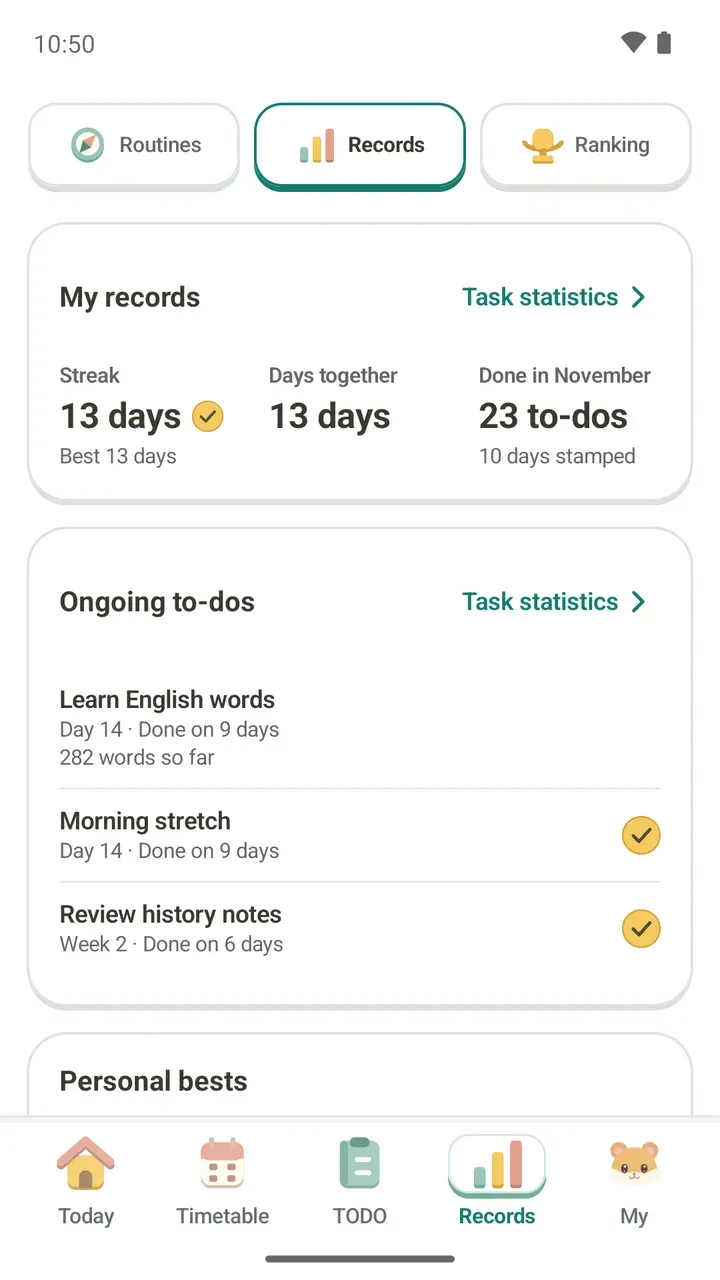
It's a live room of hamsters sitting at numbered desks. Open it by tapping Ranking at the top of the Records tab.
Each seat shows Focusing, On a break or Empty, and the card at the top shows how many people are focusing right now. Below it, Today's ranking board shows your rank, and the status chips show how many people picked each status.
Take an empty seat and start focusing
- In the Records tab, tap Ranking at the top to open the Damda study hall.
- Tap Sit here on any empty seat you like.
- The first time you sit, the app asks you to confirm the seat. It explains that from now on others see you anonymously, and that focus time from before you sit stays only on this device. Read it, then sit.
- Pick a length under How long will you focus? and your session starts.
- Under Shown on this seat, pick a status such as Exam prep or Reading. If you'd rather not show one, pick Show nothing.
Statuses come only from a list in the app. Others see just the status you picked, and nothing you type is uploaded.
If you already started focusing from the Today tab, tap Take a seat on the focus screen to sit right away. Timer lengths and picking what to focus on are covered in how to use the focus timer.
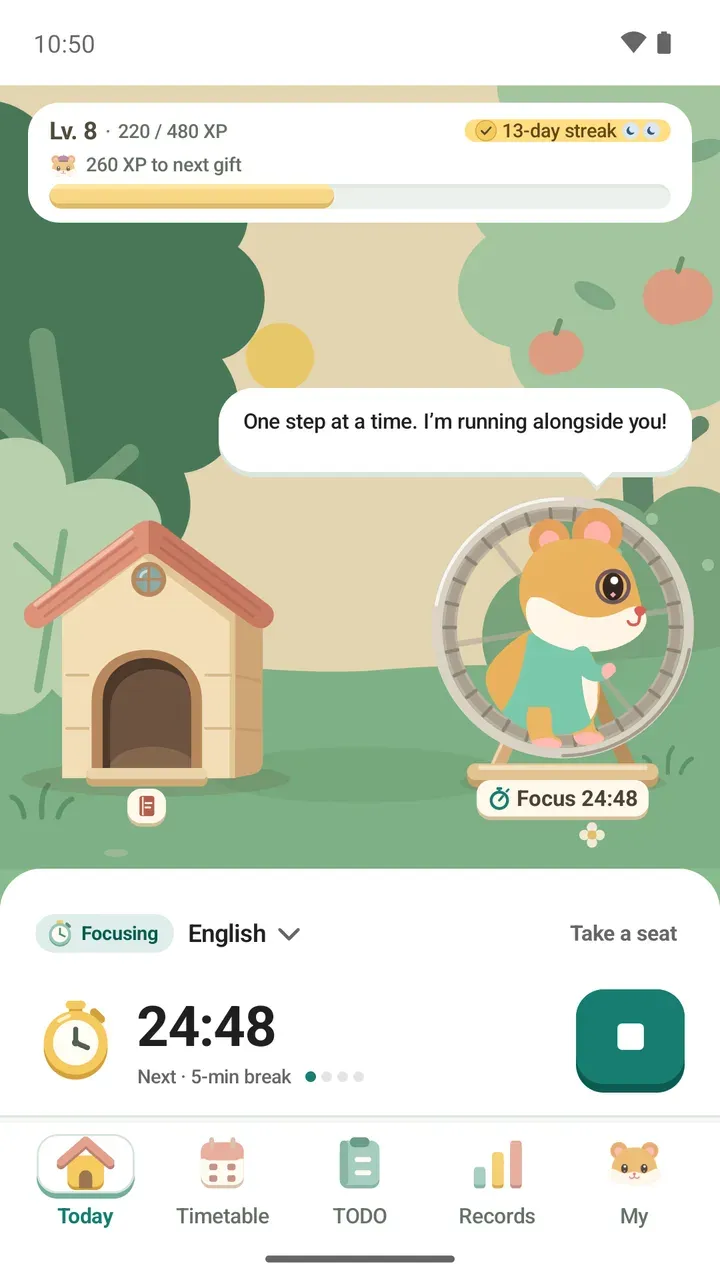
What you can do once you're seated
- Tap someone else's seat to see their current status, Today's rank, category and how many people share the same status. It also notes that they're an anonymous participant whose name and look change every day.
- From that seat's card, you can choose Focus next to them or Move next to them.
- If you move to another empty seat, your focus time carries on.
- At your own seat, use Change status to switch statuses, Focus now to skip a break, and Finish focus when you're done.
- If the seat you picked was just taken, the app lets you know. When every seat is full, it seats you as soon as one opens up.
- Your usual seat shows the seats you sit in most and the time you've spent at each.
How today's ranking is decided
The ranking is based on how long you focused today. Only time measured with the focus timer counts, and breaks are left out. While you focus, your time is added to today's ranking every few minutes, and right away when you stop.
Tap Full ranking on the ranking board to see Today's ranking. Once you have a rank, it also shows how far you are from the person just above you. The info button at the top right explains how time is counted.
You'll feel better if you treat the ranking as a quick check that you showed up today, not a race. You can look back on your own focus time and to-dos in how to read your study records.
What others can and can't see
- Others only see a name like Damda XXXX and a hamster with random fur color. The name and look change every day.
- Your name, timetable, schedule and to-do titles, memos and anything you type are never uploaded. Neither is your hamster's outfit.
- Once you first pick a seat, your focus time today, whether you're focusing or on a break, your activity type (Study, Hobby or Rest), your status and your seat are shared while you use the focus timer.
- Focus time from before you first pick a seat is not uploaded.
- The name on screen changes daily, but the anonymous account ID the app created for you stays the same. The details are in the Ranking and study hall section of Damda's privacy policy.
Offline mode and deleting your online data
Want to keep to yourself today? Turn on Offline mode at the top of the study hall screen. You can also turn on Study hall offline mode in Settings.
With offline mode on, nothing is uploaded. Others can't see you and you aren't in the ranking. Your seat, status and focus records are saved only on this device, and the study hall keeps working on this device alone.
If you were focusing when you turned it on, the app sends one last update to free your seat. Focus time while offline mode is on isn't uploaded, even after you turn it off.
To remove what was already uploaded, tap Delete my online data in Settings or on the study hall screen in offline mode. It deletes your study hall seat, daily ranking records and anonymous account from the server.
- Deleting can't be undone, and offline mode stays on afterward.
- The focus records on this device stay as they are.
- You need an internet connection to delete.
- If you join again, you start with a new anonymous account.
- If you've already deleted the app, you can't do this in the app, so email the address in the privacy policy instead.
A fresh study hall since 3.1.0
In 3.1.0, the old ranking moved into the study hall in the Records tab and started fresh. That's why you and people still on older versions can't see each other. Everything that changed is in the Damda 3.1.0 update post.
If it's your first time, check what's shared, then take an empty seat. The hamster at the next desk might keep you going more than you'd expect.